October 16, 2026 · Bella Virtual Staging
Virtual Reality Home Tours: A Guide for Real Estate Agents
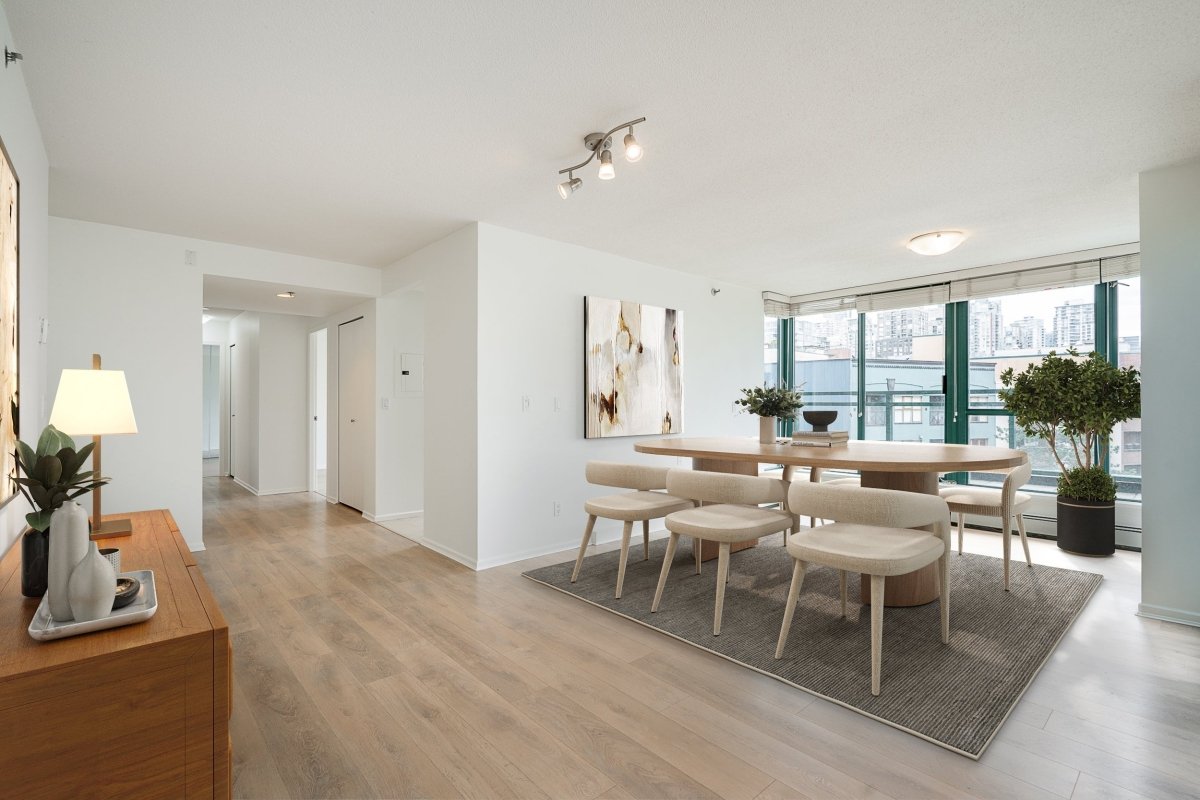
Virtual reality home tours let a buyer put on a headset and stand inside a home that is hundreds of miles away: they look around each room, step from one room to the next and get a sense of the space that flat photos can't give. For real estate agents, the good news is that a VR house tour is not a separate production. The same 360 photos or 3D scan you already use for an online virtual tour can open in a headset, as long as the platform you host it on supports VR. This guide explains what a VR home tour is, how to make one, what it costs, where it actually helps you sell, and why empty rooms need staging before anyone sees them in VR.
What is a virtual reality home tour?
A virtual reality home tour is a virtual tour of a property viewed through a VR headset instead of on a screen. The buyer is surrounded by the room: turning their head looks around, and pointing a controller at a spot on the floor moves them there. It is the most immersive experience a listing can offer short of walking in the front door.
Three terms get mixed up, so it helps to separate them:
- 360 virtual tour: a set of linked 360-degree photos, one or more per room. Viewers click or drag on a phone or laptop. Most can also open in VR.
- 3D tour (digital twin): a scanned 3D model, such as a Matterport Space, with a dollhouse view and measurements. These can open in VR too.
- VR house tour: either of the above, viewed in a headset. "VR" describes how the tour is viewed, not a different kind of capture.
So when a seller or buyer asks whether you offer VR tours, the honest answer is usually "yes, if the tour is hosted on a VR-capable platform", not "we need to hire a VR studio".
How do VR house tours work?
Every VR real estate tour has the same three steps: capture, build, view.
- Capture. You or your photographer shoot the property with a 360 camera or a 3D scanning camera. Our guide to 360 cameras for real estate compares the main options and how to shoot a home room by room.
- Build. Software links the panoramas into a tour, with hotspots to move between rooms. If you use a 3D platform, it processes the scan into a model.
- View. Buyers open the tour link. On a phone or laptop they drag to look around. In a headset they press a VR button and the tour wraps around them.
Most VR viewing today happens through the web browser built into the headset, using a standard called WebXR, so buyers don't need to install an app. Matterport, for example, lets visitors open almost any Space in VR on Meta Quest headsets and Apple Vision Pro, from a "View in VR" option in the tour menu. Matterport notes that tags, the floor plan and dollhouse views and measurements are not available inside VR. Kuula, a popular 360 tour host, has a VR button that works on Meta Quest 2 and 3 headsets and on phones placed in a cardboard viewer. Kuula says it can't guarantee VR on some headsets, including HTC Vive, Pico and Apple Vision Pro, so test your tour on the device a buyer will actually use.
Real estate virtual reality: why agents use it
VR is not for every listing. It earns its place when a buyer can't be physically present, or when a home has a layout that is hard to judge from photos.
- Out-of-town and international buyers. Relocating families and international buyers can narrow a shortlist before they fly in and only travel for the homes they are seriously interested in. A headset walk-through answers "how big does it really feel?" better than a gallery.
- Luxury listings. High-end buyers expect a polished presentation, and VR is a memorable way to show volume, ceiling height and views. It pairs well with luxury virtual staging.
- New construction and pre-sales. Builders and developers use VR to show homes and apartments in a development that is not finished. If there is nothing to shoot yet, the tour is built from 3D renderings instead of photos; see our 3D rendering services.
- Listing presentations. Handing a seller a headset with one of your past tours shows them, in a minute, how their home will be marketed. It is a strong visual in a pitch against other agents and tells potential clients your business invests in marketing.
- Open house follow-up. Buyers who toured in person can revisit the home in VR without needing access to the property again, before making an offer, which is often when doubts about room sizes come up.
Keep expectations realistic: most potential buyers will still open your tour on a phone. Treat VR as a bonus way to view the same tour, not as the main way people will experience the listing. Our guide to real estate tours covers when a virtual tour should replace an in-person showing and how to measure whether it is working.
Empty rooms look emptier in VR
An empty room is hard to read in a photo, and harder in a headset. With nothing in the space, potential homebuyers lose their sense of scale: a 12-foot living room and an 18-foot one can feel the same, and a bedroom can look too small for a bed. The immersive experience that makes VR impressive also makes bare walls and bare floors the first thing a buyer notices.
Virtual staging fixes this. A designer furnishes each 360 panorama so the room has a sofa, a dining table or a bed at the right size, and the furniture holds its position as the buyer looks around. Bella's designers stage 360 photos the same way they stage regular listing photos: by hand, with real furniture styles, never with AI.

If you already have a tour, we stage the 360 photos and send them back as 360 JPGs ready to load into your tour software. That works with any tour software except Matterport. If you only have the raw panoramas, our 360 virtual tour + staging service stitches them into a tour and stages every room. Staged images should always be disclosed as virtually staged; our tours guide explains the disclosure rules.
How to create a VR home tour, step by step
- Pick a VR-capable host. Check that your tour platform has a VR mode before you shoot. Matterport and Kuula both do.
- Prepare the property. Declutter, open blinds, turn on every light. A 360 camera sees the whole room, including the corner you would normally crop out.
- Shoot every room. Use a tripod at the same height in every room, one panorama per room (two for large rooms), and step out of the shot.
- Stage the empty rooms. Send the panoramas for 360 virtual staging before you build the tour, so buyers never see the bare version.
- Build and link the tour. Add hotspots between rooms and a clear starting point, usually the entry or the main living space.
- Test it in a headset. Walk the whole tour in VR, check that every hotspot works and that the floor height feels natural.
- Share it everywhere. Put the link on the MLS virtual tour field, your website, email and social media, and offer headset viewings at your office or open house. Realtors who keep a headset at the office can let buyers try the tour there.
How much does a VR house tour cost?
Costs depend on who captures the home and which platform hosts it:
- Do it yourself: a consumer 360 camera plus a tour host. Zillow's 3D Home app, for example, is free and works with supported iPhone and Android phones or 360 cameras from Insta360 and Ricoh Theta.
- Hire a photographer: many real estate photographers offer 360 or 3D tours as an add-on to the photo shoot. Prices vary by market and home size, so ask for a quote.
- Bella: send us your panoramas and we stitch them into a tour for US$99, then stage each room at US$37 per 360 photo, before volume discounts. Staged 360 photos come back in 24 to 48 hours, with unlimited revisions for two weeks.
Hosting usually carries a monthly or per-listing fee, so compare features and check what happens to the tour link after the listing closes. For a side-by-side look at platforms and prices, read our roundup of virtual tour software for real estate.

What is a virtual real estate agent?
"Virtual reality estate agent" and "virtual real estate agent" usually mean two different things. The first is an agent who uses VR tools, like the tours above, to market listings. The second is an agent who works without a traditional office, usually at a cloud-based brokerage rather than a traditional firm or one of the independent brokerages with a storefront office. eXp Realty is the best-known example: it describes itself as a cloud-based brokerage without brick-and-mortar offices, and its agents have trained and met in a virtual campus called eXp World.
Can you be a virtual real estate agent? Yes, but the rules don't change: you still need an active license in the state or province where you practice, and a broker you work under. How much a virtual agent makes depends on the same things as any agent, mainly sales volume and the brokerage's commission split, so be wary of anyone promising a specific income.
"Virtual real estate" can also mean land in metaverse games and platforms, which is unrelated to selling homes. This guide is only about real-world property.
Is virtual reality the future of real estate marketing?
Virtual reality technology has been "the next big thing" in the real estate industry for years, and it has not replaced photos, video or in-person showings. What has stuck is the virtual tour itself: buyers now expect to explore a property online before they book a visit. VR is the premium layer on top. As headsets get lighter and cheaper, more buyers will view tours that way, and because the same tour works on a phone and in a headset, a well-made tour today will still work then.
The part that won't change is that buyers judge a space by how it looks furnished. Whatever device they use, a staged room helps them picture living there.

Frequently asked questions
What is virtual reality real estate?
It is the use of VR headsets to tour, market or design real property: VR house tours of listings, VR walkthroughs of homes that aren't built yet, and VR design reviews for builders and developers.
Do buyers need a VR headset to see a VR tour?
No. A VR-capable tour still works in a normal web browser on a phone, tablet or computer. The headset is optional, for buyers who want the immersive version.
Which headsets work with real estate VR tours?
Meta Quest headsets are the most widely supported. Matterport also supports Apple Vision Pro. Support for other headsets varies by platform, so test before you promise it to a client.
Can you virtually stage a VR tour?
Yes. Each 360 photo in the tour is staged by a designer, then loaded back into the tour, so the furniture appears all around the buyer in VR. Bella stages 360 photos for any tour software except Matterport.
How long does it take to make a VR home tour?
Shooting time depends on the size of the home and the number of rooms, and most tour platforms build the tour soon after you upload. If you add virtual staging, Bella returns staged 360 photos in 24 to 48 hours.
Are VR tours worth it for every listing?
Not always. The advantage is greatest for remote buyers, luxury homes and new construction. For any listing with a virtual tour, staging the empty rooms usually does more for buyers than the headset itself.
Ready to stage your next tour?
Send us your 360 photos and Bella's designers will furnish every room in 24 to 48 hours, with unlimited revisions for two weeks. If it still isn't right, we rework it or refund you. Order a staged 360 virtual tour, see how it works on walk-through tours, or browse our lookbook.