August 4, 2026 · Bella Staging
Virtual Staging Mistakes That Could Hurt Your Listing—and How to Avoid Them
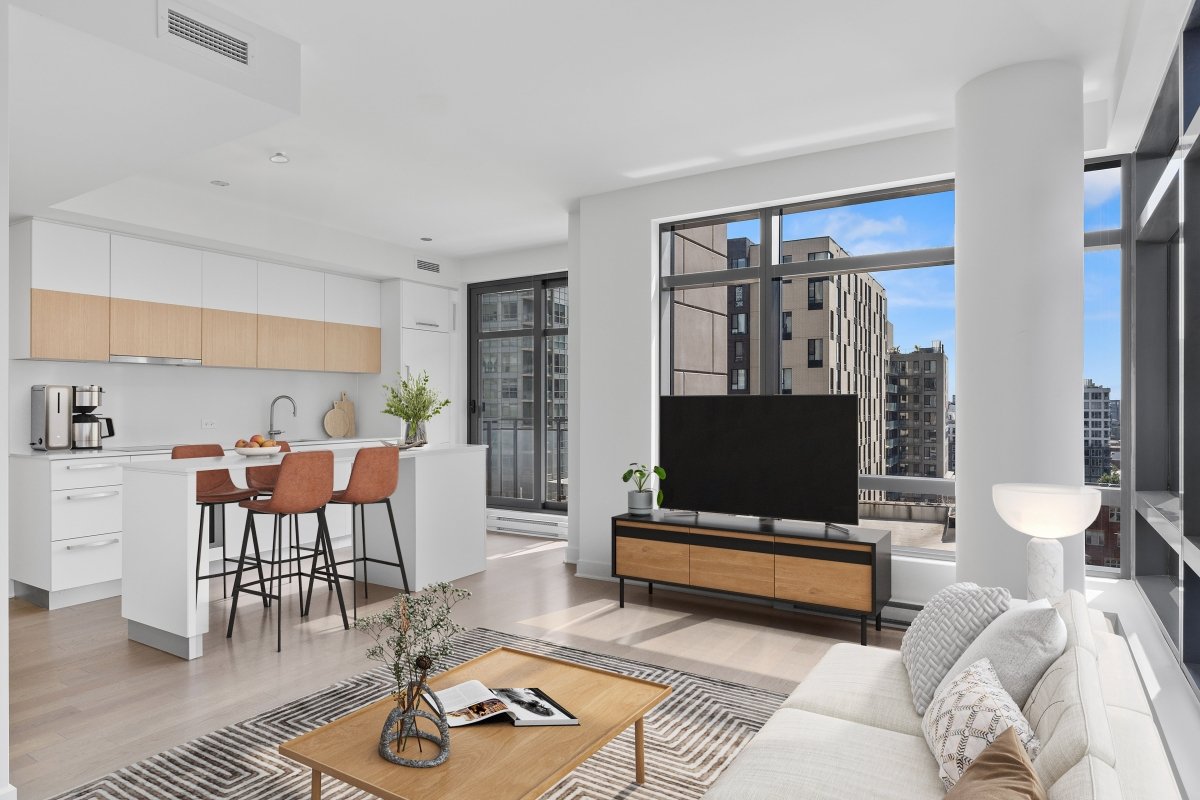
Virtual staging can transform vacant rooms into attractive, welcoming spaces that help potential buyers understand a property’s full potential. However, poorly executed virtual staging can make a listing look unrealistic, misleading, or less professional.
The most common virtual staging mistakes include using furniture that does not match the room’s proportions, choosing an unsuitable design style, altering permanent property features, and failing to disclose that an image has been virtually staged. Real estate agents can avoid these issues by using realistic furniture, maintaining the property’s original structure, selecting a buyer-friendly style, and working with an experienced virtual staging provider.
Why Virtual Staging Quality Matters
Most buyers first encounter a property through online listing photos. This means the images must immediately communicate the room’s function, size, and possibilities.
Professional virtual staging can make a vacant property feel warm and inviting. It can also help buyers visualize furniture placement without the cost and inconvenience of physically furnishing the home.
However, when virtual staging looks unrealistic or inconsistent, buyers may focus on the editing instead of the property itself. Avoiding the following mistakes can help agents create listing images that feel polished, believable, and market-ready.
1. Using Furniture That Is Too Large
One of the most common virtual staging mistakes is adding furniture that is too large for the room.
An oversized sectional, dining table, or bed can make the space appear smaller than it actually is. It may also create unrealistic circulation paths or block important architectural features.
Furniture should be properly scaled to the room. For smaller spaces, use compact sofas, streamlined chairs, slim tables, and minimal accessories. The layout should demonstrate how the room can function comfortably without making it feel overcrowded.
2. Adding Too Much Furniture and Décor
Virtual staging should help buyers understand the room—not fill every available space.
Too many furniture pieces, decorations, plants, and accessories can make the image feel cluttered. This may distract buyers from the room’s flooring, windows, natural light, and architectural details.
A well-staged room should include only the furniture needed to communicate its function. For example, a living room may only need a sofa, one or two accent chairs, a coffee table, a rug, and a few simple decorative elements.
3. Choosing the Wrong Design Style
The furniture style should complement the property’s architecture, location, price range, and likely buyer demographic.
For example, ultra-modern furniture may feel out of place in a traditional heritage home. Similarly, overly formal furniture may not appeal to buyers viewing a relaxed coastal property.
Common buyer-friendly styles include:
| Design Style | Key Characteristics | Best Suited For |
|---|---|---|
| Modern | Clean lines, neutral colors, simple furniture, and minimal décor | New construction, renovated homes, and condominiums |
| Contemporary | Current design trends, refined finishes, curved furniture, and statement pieces | Updated properties and luxury listings |
| Scandinavian | Light wood, soft colors, natural textures, and bright, functional spaces | Apartments, family homes, and interiors with abundant natural light |
| Transitional | A balanced mix of traditional comfort and modern simplicity | Suburban homes and properties with classic architectural features |
| Coastal | Light colors, natural materials, airy furniture, and a relaxed atmosphere | Waterfront homes, beach properties, and vacation rentals |
| Mid-Century Modern | Warm wood tones, tapered furniture legs, clean shapes, and retro-inspired details | Bungalows, renovated homes, and design-focused properties |
| Luxury Contemporary | Premium furniture, elegant materials, sophisticated décor, and polished finishes | High-end residences, luxury listings, and penthouses |
When selecting a style, choose furniture that supports the character of the home rather than competing with it.
4. Making the Staging Look Unrealistic
Virtual staging should look as though the furniture was genuinely photographed inside the room.
Common realism problems include:
- Incorrect furniture perspective
- Inconsistent lighting and shadows
- Furniture that appears to float
- Objects placed through walls or windows
- Rugs positioned at unrealistic angles
- Furniture with noticeably different image quality
- Décor that looks overly artificial or generated
Professional virtual staging should match the room’s camera angle, lighting direction, floor level, and perspective. Realistic shadows and properly scaled furniture help the final image appear natural.
5. Changing Permanent Property Features
Virtual staging should not misrepresent the actual condition or structure of the property.
Agents should avoid changing permanent features unless the image is clearly presented as a renovation concept. This includes altering:
- Window sizes or locations
- Ceiling heights
- Flooring materials
- Wall positions
- Doorways
- Built-in cabinets
- Fireplaces
- Structural columns
- Outdoor views
The purpose of virtual staging is to furnish and style the existing space. It should not create architectural features that are not actually present.
For properties that require design improvements, a clearly disclosed virtual renovation service may be more appropriate.
6. Ignoring the Room’s Natural Focal Point
Every room usually has a natural focal point, such as a fireplace, large window, scenic view, feature wall, or architectural detail.
Furniture should be arranged to support that focal point. For example, seating may face a fireplace, while a dining table may be positioned to take advantage of natural light or an outdoor view.
Ignoring the focal point can make the layout feel awkward or disconnected. Before staging a room, determine which feature should attract the buyer’s attention and arrange the furniture accordingly.
7. Blocking Walkways and Doorways
A virtual layout should demonstrate realistic movement through the space.
Furniture should not block:
- Entry doors
- Hallways
- Sliding doors
- Balcony access
- Cabinet doors
- Major circulation paths
- Openings between rooms
Buyers should be able to understand how they would walk through and use the room. Maintaining clear circulation also helps the room appear larger and more functional.
8. Using Dark or Distracting Furniture
Dark, bulky, or heavily patterned furniture can make some rooms feel smaller and less inviting, especially when the original photo has limited natural light.
Neutral furniture usually works well for real estate marketing because it appeals to a wider range of buyers. Soft beige, warm white, light gray, natural wood, and subtle accent colors can create a bright and welcoming atmosphere.
Bold colors can still be used, but they should appear as controlled accents rather than dominate the entire image.
9. Staging Every Room With the Same Layout
Each room should be staged according to its size, shape, function, and architectural features.
Using the same sofa set, bedroom arrangement, or decorative accessories throughout an entire listing can make the images feel repetitive. It may also result in layouts that do not fit individual rooms properly.
Maintain a consistent overall design style, but adjust the furniture selection and placement for each space.
10. Failing to Remove Existing Clutter First
In occupied properties, adding virtual furniture without addressing existing clutter can create an overcrowded and confusing image.
Personal belongings, outdated furniture, excessive decorations, cords, boxes, and distracting objects may need to be digitally removed before staging.
Depending on the condition of the room, agents may benefit from:
| Service | What It Includes | Best Used For |
|---|---|---|
| Virtual Decluttering | Digitally removes small distracting items, personal belongings, and unnecessary décor from the photo | Counters, shelves, desks, floors, and lightly cluttered rooms |
| Furniture Removal | Removes existing furniture and larger objects from the image while preserving the room’s original features | Vacant-looking presentations, outdated furnishings, and rooms that need a cleaner appearance |
| Furniture Replacement | Removes old, mismatched, or outdated furniture and replaces it with updated virtual pieces | Occupied homes that need a more modern and cohesive look |
| Complete Removal and Staging | Digitally clears the room and restages it with a new furniture layout, décor, and design style | Major listing transformations and highly personalized interiors |
Bella Virtual’s furniture removal and replacement service can help create a cleaner foundation before new furniture is added.
11. Using Low-Resolution or Poorly Lit Photos
Even high-quality virtual staging cannot fully compensate for a blurry, dark, or poorly composed original photo.
For the best results, agents should submit:
- High-resolution images
- Straight and level camera angles
- Bright, evenly lit rooms
- Wide views that show the room’s layout
- Photos without motion blur
- Images with minimal obstruction
A strong original photo allows the virtual furniture to blend naturally into the space.
12. Forgetting to Label Virtually Staged Images
Transparency is important when using digitally staged listing photos.
Agents should clearly label images as “Virtually Staged” when required by their local MLS, brokerage, or advertising platform. It is also a good practice to include the original vacant photo alongside the staged version.
This allows buyers to understand the property’s current condition while still seeing a realistic example of how the room could be furnished.
13. Using Different Styles Throughout the Listing
A listing may include several rooms, but the staging should still feel visually connected.
For example, combining a coastal living room, industrial dining room, and traditional bedroom can make the property feel inconsistent. Instead, choose one main design direction and carry similar colors, materials, and furniture characteristics throughout the home.
Consistency helps the listing appear more professionally presented and creates a smoother visual experience for buyers.
14. Overlooking the Target Buyer
Virtual staging should be designed with the likely buyer in mind.
A downtown condominium may benefit from modern, space-saving furniture. A family home may need warm, practical layouts with clearly defined living and dining areas. A luxury property may require more refined furniture, premium textures, and carefully selected décor.
Understanding the target market helps agents choose staging that feels relevant and aspirational without becoming unrealistic.
Virtual Staging Mistakes at a Glance
| Common Mistake | Why It Can Hurt the Listing | Better Approach |
|---|---|---|
| Oversized furniture | Makes the room appear smaller, crowded, and less functional | Use properly scaled furniture that maintains open space and clear circulation |
| Too much décor | Distracts buyers from the room’s size, layout, and architectural features | Keep the styling simple, balanced, and intentional |
| Mismatched design style | Creates a visual disconnect between the furniture and the property | Choose a design style that complements the home and appeals to the target buyer |
| Unrealistic lighting | Makes the furniture look artificial or poorly edited | Match the room’s perspective, shadows, brightness, and natural light direction |
| Altering structural features | May misrepresent the property’s actual condition or layout | Preserve the existing walls, windows, doors, flooring, and architectural details |
| Blocking pathways | Makes the room appear difficult to navigate and poorly planned | Maintain clear walkways, door access, and realistic circulation between spaces |
| Dark, bulky furniture | Can make smaller or dimly lit rooms feel heavier and more confined | Use lighter furniture, streamlined pieces, and carefully selected accent colors |
| Inconsistent staging | Makes the listing feel disconnected and less professionally presented | Follow one cohesive design direction throughout the property |
| Poor-quality source photos | Limits the realism and overall quality of the final staged image | Submit bright, sharp, well-composed, and high-resolution photographs |
| No disclosure | May confuse buyers or conflict with MLS and advertising requirements | Clearly label images as “Virtually Staged” and include the original vacant photos when appropriate |
How Real Estate Agents Can Get Better Virtual Staging Results
Before submitting listing photos for virtual staging, provide clear instructions about:
- The function of each room
- Your preferred design style
- The target buyer
- Furniture or objects that should be removed
- Features that should remain unchanged
- Preferred color palettes
- Any specific furniture placement requirements
Clear instructions reduce revisions and help the designer create images that match the property’s marketing strategy.
Final Thoughts
Virtual staging is most effective when it improves buyer understanding without misrepresenting the property. The furniture should feel realistic, properly scaled, and appropriate for the home’s architecture and target market.
By avoiding oversized furniture, inconsistent styles, unrealistic edits, cluttered layouts, and undisclosed alterations, real estate agents can create stronger listing photos that support buyer interest and confidence.
Ready to present your vacant property at its best? Explore Bella Virtual’s professional virtual staging services or contact the Bella Virtual team to get started.
Frequently Asked Questions
What is the biggest virtual staging mistake?
The biggest mistake is creating an image that looks unrealistic or misrepresents the property. Furniture should be properly scaled, naturally positioned, and consistent with the room’s actual lighting and perspective.
Can virtual staging make a room look bigger?
Virtual staging can help demonstrate the room’s proportions and potential, but it should not artificially enlarge the space. Properly scaled furniture and an uncluttered layout can help the room appear more open.
Should virtually staged photos be disclosed?
Yes. Agents should follow local MLS and advertising requirements and clearly identify digitally staged images. Including the original vacant photo is also recommended.
Can existing furniture be removed before virtual staging?
Yes. Existing furniture, clutter, and personal items can be digitally removed before new furniture is added through a furniture removal and replacement service.
What design style is best for virtual staging?
Neutral and buyer-friendly styles such as modern, contemporary, Scandinavian, transitional, and mid-century modern work well for many properties. The best style depends on the property’s architecture, location, and target buyer.