November 13, 2025 · Kien Nguyen
10 Best Apps for Interior Design in 2026 (Free and AI Picks)
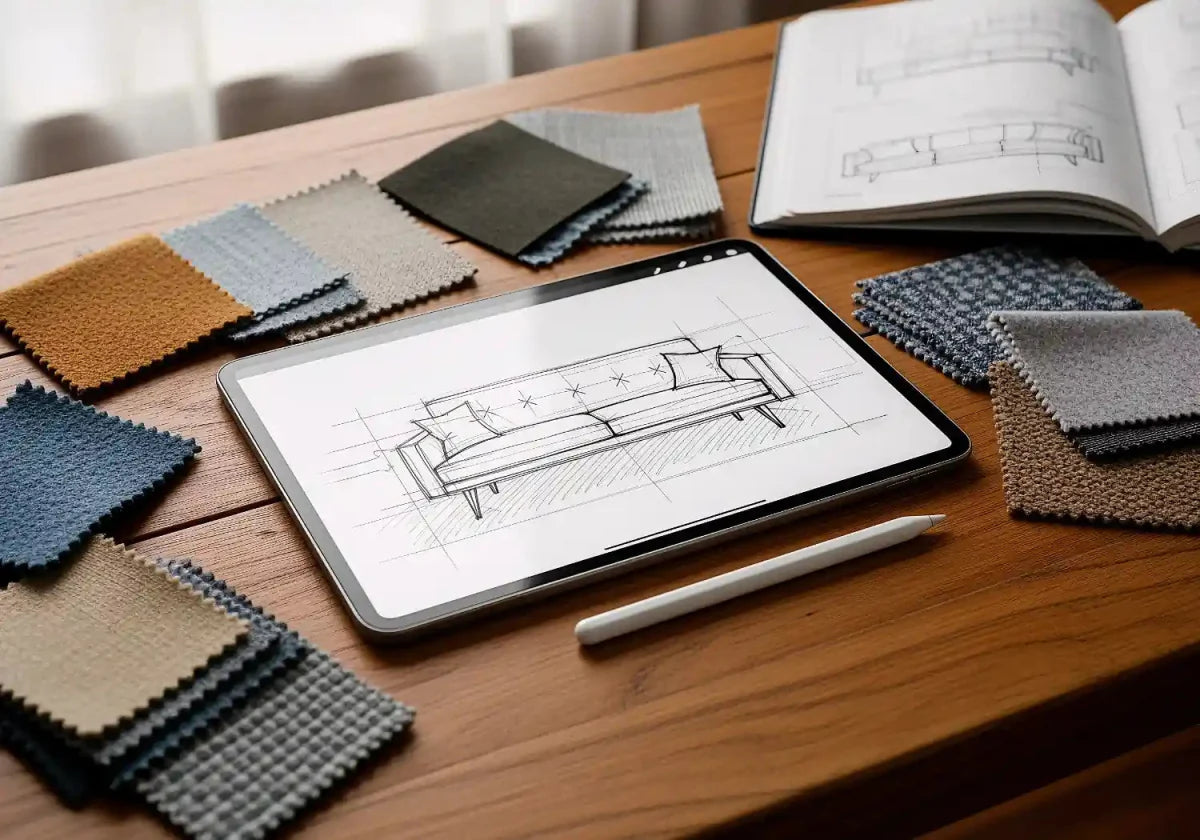
Short answer: the best apps for interior design in 2026 are Planner 5D and Homestyler for free 2D and 3D room planning, Houzz for design inspiration and shopping, and IKEA Kreativ for placing real furniture in a scan of your own room. For quick AI redesigns of a room photo, RoomGPT and Interior AI lead. For accurate floor plans, use magicplan. Most of these interior design apps have a free tier, and you only pay for high-resolution renders, AI credits or pro tools.
Updated September 2026. Prices are published US prices checked this month; apps change plans often, so confirm in the app store before you subscribe.
Best apps for interior design at a glance
| App | Best for | Free option | Paid from | Platforms |
|---|---|---|---|---|
| Planner 5D | All-round 2D/3D room design | Yes, free plan | $59.99/yr (Premium) | Web, iOS, Android, Mac, Windows |
| Homestyler | Free realistic 3D renders | Yes, unlimited 1K renders | $6.80/mo (Pro+) | Web, iOS, Android |
| Houzz | Design inspiration and shopping | Free app | n/a | iOS, Android |
| IKEA Kreativ | Furnishing your own room with IKEA pieces | Free | n/a | IKEA app (iOS, Android), web |
| RoomGPT | Fast AI redesign of a room photo | 1 free design | $9 for 30 credits | Web |
| Interior AI | AI restyling and virtual staging at volume | Limited | Monthly subscription | Web |
| Havenly | A real designer (plus free AI) | Havenly AI is free | $199 per room | Web, iOS |
| magicplan | Measured floor plans from a phone scan | 2 free projects | $12.99/mo (Sketch) | iOS, Android |
| Live Home 3D | Detailed home and renovation models | Free download | $19.99/yr (Standard) | Mac, Windows, iPhone, iPad |
| Morpholio Board | Mood boards and presentations | Up to 5 projects | In-app subscriptions | iPhone, iPad, Mac only |
What to look for in an interior design app

Design apps fall into three groups. Room planners (Planner 5D, Homestyler, Live Home 3D) let you draw floor plans and furnish them in 2D and 3D. AI interior design apps (RoomGPT, Interior AI, Havenly AI) restyle a photo of your own room in seconds. Inspiration and shopping apps (Houzz, IKEA Kreativ, Morpholio Board) help you collect ideas, build mood boards and see real furniture in your space. Before you download, check these key features:
- Accurate measurements: LiDAR scanning on recent iPhone Pro and iPad Pro models, or manual dimensions, so furniture placement matches reality.
- 2D and 3D views: a floor plan for layout, plus a 3D view or render to judge style, lighting and color.
- A realistic catalog: real furniture you can buy, or at least true-to-scale models.
- AI tools that keep your room: the best AI interior design results preserve your walls, windows and floors instead of inventing a new room.
- A fair free tier: enough free designs or free renders to test the app on your own space before paying.
- Platform fit: some apps are Apple-only, and some features need a web version or desktop.
The best interior design apps in 2026
1. Planner 5D: best all-round room design tool
Planner 5D is the most complete design tool for homeowners. You can draw floor plans, switch between 2D and 3D, furnish rooms from a large catalog, and test layouts, colors and traffic flow before buying anything. Its AI features include floor-plan recognition, which turns an uploaded plan into an editable 3D project, and AI Studio for restyling rooms and building mood boards. It also works on almost every device, so you can start on a phone and finish on a laptop.
- Key features: 2D/3D floor plans, AI plan recognition, AI Studio, photoreal renders, a Budget Widget and Design School lessons.
- Price (Sept 2026): free plan with half the catalog. Premium costs $19.99 a month or $59.99 a year; Professional costs $49.99 a month or $399.99 a year.
- Platforms: web, iOS, Android, macOS and Windows.
- Best for: designing an entire house or a full renovation, and learning the basics.
2. Homestyler: best free 3D renders
Homestyler gives away more than most. Its free Basic plan includes a cloud 3D floor planner, more than 100,000 free 3D models and materials, and unlimited 1K renders, so you can create designs and see realistic images without paying. Paid tiers add higher-resolution renders, watermark removal and monthly AI credits for tools like AI Stager and AI Moodboard.
- Key features: drag-and-drop 3D planner, unlimited free 1K renders, AI design tools on credits.
- Price (Sept 2026): free Basic plan. Pro+ starts at $6.80 a month and Master+ at $11.80 a month.
- Platforms: web, iOS and Android.
- Best for: beginners who want realistic free renders of their own room.
3. Houzz: best app for interior design inspiration
Houzz is where most people start. The free app has more than 25 million photos of interiors and exteriors, which you can filter by room and style and save to idea books. It also has more than 5 million products to shop. Its View in My Room 3D feature uses your phone's camera to place a product in your space with augmented reality, and you can hire from over 3 million home professionals in the same app.
- Key features: 25M+ photos, idea books, AR product preview, product reviews and a pro directory.
- Price: free.
- Platforms: iOS and Android.
- Best for: collecting favorite ideas and finding contractors or designers.
4. IKEA Kreativ: best for furnishing with real products
IKEA has moved its AR tools into IKEA Kreativ, which now does the job of the older standalone IKEA Place app. In the IKEA app, you can scan your own room (a full 3D room scan needs an iPhone or iPad with LiDAR), remove existing furniture digitally and drop in true-to-scale IKEA pieces. On the web, you can build a room from your own dimensions or start from a virtual showroom.
- Key features: room scanning, virtual furniture removal, IKEA catalog in 3D, shareable designs.
- Price: free.
- Platforms: IKEA app on iOS and Android, plus web.
- Best for: small apartments and anyone already shopping at IKEA.
5. RoomGPT: best free AI interior design taste test
RoomGPT is the simplest AI design tool. Upload a photo, pick a style, and get a redesigned version of the same room in seconds. It's great for design ideas and for seeing your own space in different styles. Precision isn't the point, though: walls and windows can shift, so treat the results as inspiration, not a plan.
- Key features: photo-to-redesign, multiple styles, before/after comparison.
- Price (Sept 2026): one free design, then credit packs from $9 for 30 credits, according to 101 AI Tools. Credits don't expire.
- Platforms: web.
- Best for: a quick look at what AI interior design can do.
6. Interior AI: best AI for restyling and virtual staging
Interior AI, built by indie developer Pieter Levels, is one of the longest-running AI interior design tools. It offers dozens of styles, virtual staging of empty rooms, and sketch-to-render conversion. Reviewers generally rate its output quality above the free tools, but it's priced for frequent users rather than one-off homeowners.
- Key features: 55+ styles, virtual staging, sketch-to-render, built-in editing to fix artifacts.
- Price: monthly or annual subscription. Published prices have changed several times in 2026, so check interiorai.com before buying.
- Platforms: web.
- Best for: people who will generate many designs, such as real estate agents or designers.
7. Havenly: best for professional guidance
Havenly pairs you with a real interior designer online, and it now has a free AI tool too. Havenly AI restyles a photo of your room with shoppable products at no cost. When you want a person, an online design package includes a designer, design board, floor plan and shopping list.
- Key features: free Havenly AI, human designers, 3D renderings in full-service packages, one-checkout shopping.
- Price (Sept 2026): Havenly AI is free. The Online Full package is listed at $199 per room and In-Person at $699, with promotions common.
- Platforms: web and iOS.
- Best for: people who want professional design expertise without traditional designer fees.
8. magicplan: best for accurate floor plans
magicplan turns your phone into a measuring tool. On an iPhone Pro or iPad Pro with LiDAR, you scan each room and the app draws walls, doors and windows automatically. You can then export 2D and 3D floor plans for a contractor. On phones without LiDAR, you sketch manually. Contractors use it heavily, but homeowners planning a remodel find it just as useful.
- Key features: LiDAR room scanning, 2D/3D floor plans, exports, estimates on higher tiers.
- Price (Sept 2026): two free projects to start; the solo Sketch plan is about $12.99 a month.
- Platforms: iOS (full LiDAR support) and Android (manual sketching).
- Best for: renovation planning and precise measurements.
9. Live Home 3D: best for detailed home models
Live Home 3D is closer to professional home design software. It handles multi-story houses, walls, roofs, windows and doors, and lets you walk through a 3D model. It runs on Mac, Windows, iPhone, iPad and even Apple Vision Pro, which makes it a strong pick for complex projects that go beyond decorating. The learning curve is steeper than Homestyler's.
- Key features: multi-level floor plans, 3D walkthroughs, architectural elements, exterior design.
- Price (Sept 2026): free download. Standard features cost $19.99 a year or a lifetime license, and Pro features cost $49.99 a year or a lifetime license, with regular sales (official store).
- Platforms: macOS, Windows, iOS, iPadOS and visionOS.
- Best for: remodels and whole-house planning.
10. Morpholio Board: best for mood boards
Morpholio Board is a favorite of professional designers for building mood boards, material palettes and client presentations. It includes brand libraries, Pinterest import, AR furniture and automatic shopping lists on the Pro tier. It's Apple-only.
- Key features: mood boards, swatch maker, AR furniture, exports to PDF, Excel and PSD on paid tiers.
- Price (Sept 2026): free for up to 5 projects. Essentials, Premium and Pro subscriptions are in-app (the App Store lists them from $4.99).
- Platforms: iPhone, iPad and Mac.
- Best for: organizing inspiration and presenting ideas.
Free vs. paid: which app is right for you?

- Best free option overall: Homestyler, for unlimited free 1K renders, or Planner 5D's free plan if you want the smoothest web version and mobile app.
- Best for design inspiration: Houzz, with Morpholio Board to organize inspiration into boards.
- Best for small spaces: IKEA Kreativ, because true-to-scale pieces matter most when every inch counts.
- Best AI interior design apps: RoomGPT for a free taste, Interior AI for volume, and Havenly AI for free shoppable redesigns.
- Best for complex projects: Live Home 3D or Planner 5D Professional, plus magicplan for measurements.
- Best for professional guidance: Havenly's human designers.
How to get better AI interior design results

- Start with a good room photo. Shoot in daylight, straight on, from the corner that shows the most floor.
- Clear the clutter. AI tools read piles of objects as furniture and carry them into the new design.
- Be specific. "Warm Japandi living room, oak floors, linen sofa, black lighting fixtures" beats "modern."
- Say what to keep. Tell the tool not to change windows, flooring or the fireplace.
- Generate several versions. Running the same prompt more than once often gives very different results, so compare a few before you choose.
- Measure before you buy. AI images aren't to scale. Check any coffee table, bar stools or sofa you like against real dimensions in a planner app.
Virtual staging: apps vs. professional service
For home sellers and real estate agents, AI staging apps are handy for a quick look at an empty room. Listing photos are different, though. They need furniture at the right scale, consistent lighting, no warped walls, and styling that suits the buyer. Many MLSs also require virtually staged photos to be disclosed as such.


When the photos have to sell a home, designer-made virtual staging is the step up from app renders.
FAQ: best apps for interior design
What is the best interior design app for free?
Homestyler, for its unlimited free 1K renders and 100,000+ free models, and Planner 5D's free plan, for 2D and 3D floor plans on any device. Houzz and IKEA Kreativ are also completely free, and RoomGPT gives you one free AI design.
What is the 3-5-7 rule in decorating?
It's the rule of odd numbers. Designers group decor in threes, fives or sevens, for example on shelves, mantels, coffee tables or sofa cushions, because odd-numbered groupings look more natural and relaxed than even ones. Vary height and texture within each group. Formal spaces, like a dining room, often still call for symmetry.
What is the best app for interior design ideas?
Houzz, with more than 25 million photos you can filter by room and style. Pinterest is the other go-to for design inspiration. For ideas in your own room, try an AI app such as RoomGPT or Havenly AI.
What is the best app for learning interior design?
Planner 5D includes Design School lessons alongside its design tools. Homestyler's free 3D planner is a good place to practice space planning. For professional-level skills, pair an app with a structured course.
Can AI interior design apps replace an interior designer?
For ideas, yes. For a finished room, not yet. AI tools don't measure your space, check that furniture fits, or manage orders and contractors. Use AI for exploration, a planner app for layout, and professional designers for complex projects.
Do interior design apps work on iPhone and Android?
Most do. Planner 5D, Homestyler, Houzz, IKEA Kreativ and magicplan are on both, while Morpholio Board is iPhone, iPad and Mac only. Full LiDAR room scanning in IKEA Kreativ and magicplan needs a LiDAR-equipped iPhone Pro or iPad Pro.