Virtual Staging Premium
Virtual Renovation & Virtual Staging Service
A virtual renovation service for dated listings: a real interior designer digitally replaces floors, paint, counters and fixtures, then stages the finished room. Show buyers the after, without doing the renovation.


What it is
What is a virtual renovation service?
Bella's virtual renovation service updates dated rooms in your real estate photos: a real interior designer digitally replaces flooring, wall color, countertops, cabinets, lighting and plumbing fixtures, then stages the finished room with furniture. Potential buyers see the home after a remodel, layout changes like removing a wall are available on request, and the MLS-ready images come back in 24–48 hours.
It's built for real estate agents listing dated or unfinished properties, and for developers, renovators and homeowners who want to visualize the final outcome of a renovation before they commit to it. We love transforming older homes and helping buyers picture what a property can look like once the work is done.
How does virtual renovation work?
- Choose how many photos you need virtually renovated and place your order. Your order confirmation includes an upload link with specific instructions, so you can send the photos whenever they're ready.
- Tell us the finishes you want (a palette, Benjamin Moore colors, or something like "light oak floors, white shaker cabinets, quartz counters") and a furniture style for the staging. Not sure? Tell us who you're selling to and the designer takes it from there. Every Bella designer has a background in interior design.
- Your designer renovates and stages each photo and sends it to you for approval within 24–48 hours.
- Ask for any changes you like: revisions are unlimited and free for two weeks after delivery. If a photo still isn't right, we rework it or refund it.
Common items for virtual renovation
- Kitchen cabinets and countertops
- Bathroom fixtures and finishes
- Carpet replaced with wood floors or other flooring
- Wall color and paint
- Lighting and plumbing fixtures
- Front exteriors and patios
- Wall removal and open-concept layouts
Why Bella over cheaper virtual renovation services?
Quality over quantity. We aren't the cheapest virtual renovation company, but every photo is carefully renovated and staged by hand to make the property as attractive to potential buyers as possible — and with unlimited revisions and rework-or-refund, you're never stuck with an image you can't use.
Completed projects
Recent projects that sold
Real listings marketed with Bella visuals — swipe through, and hover or tap to see the original photo.
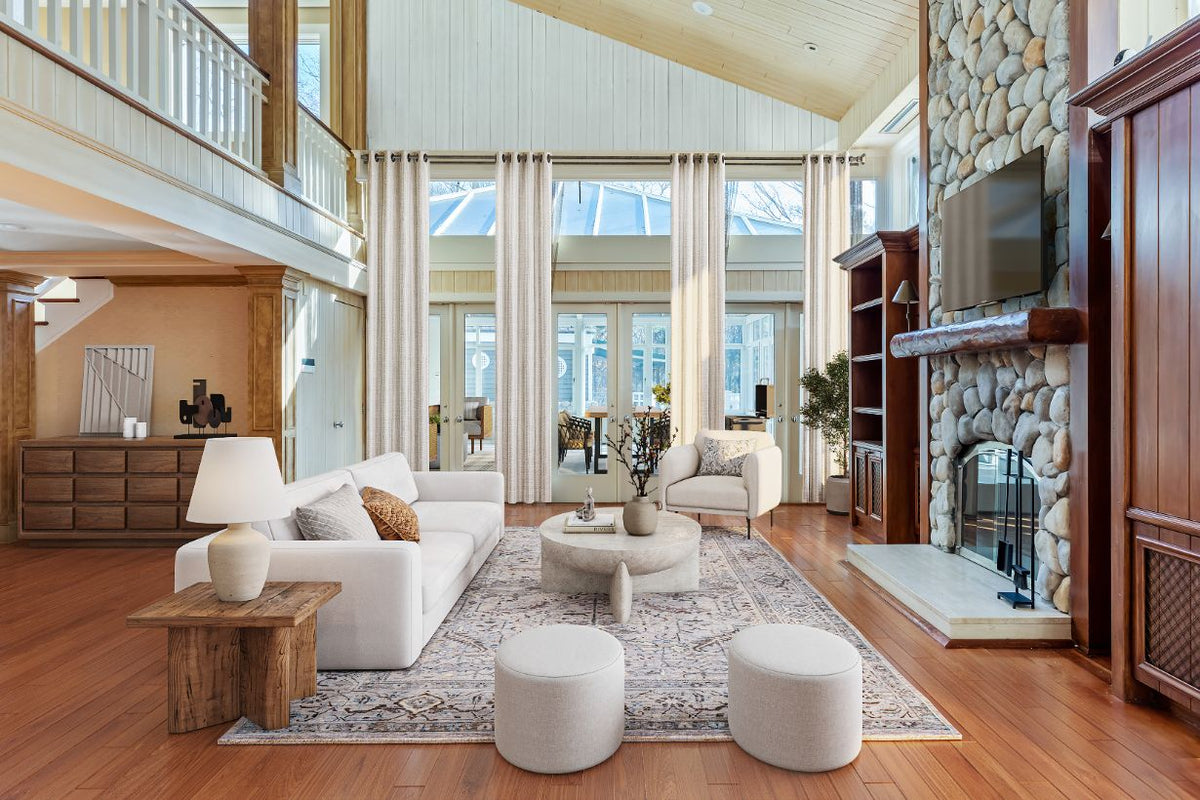
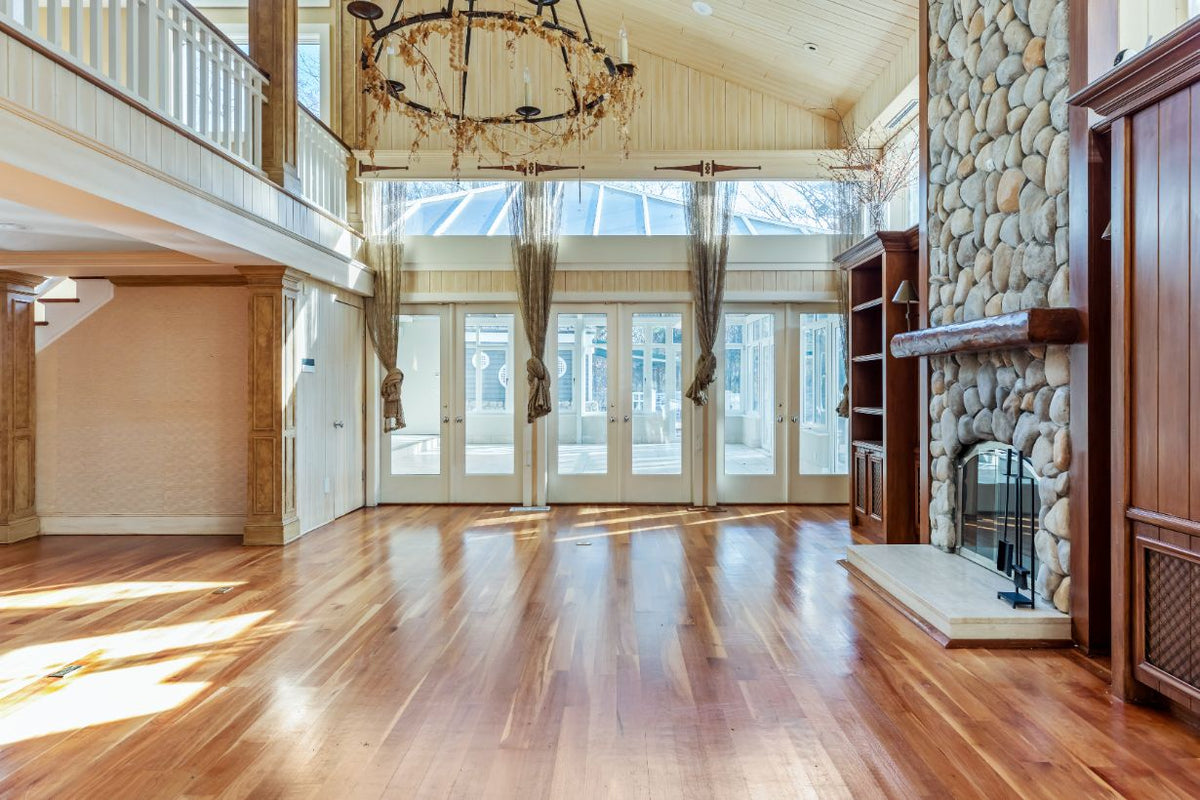 Before ⇄ After
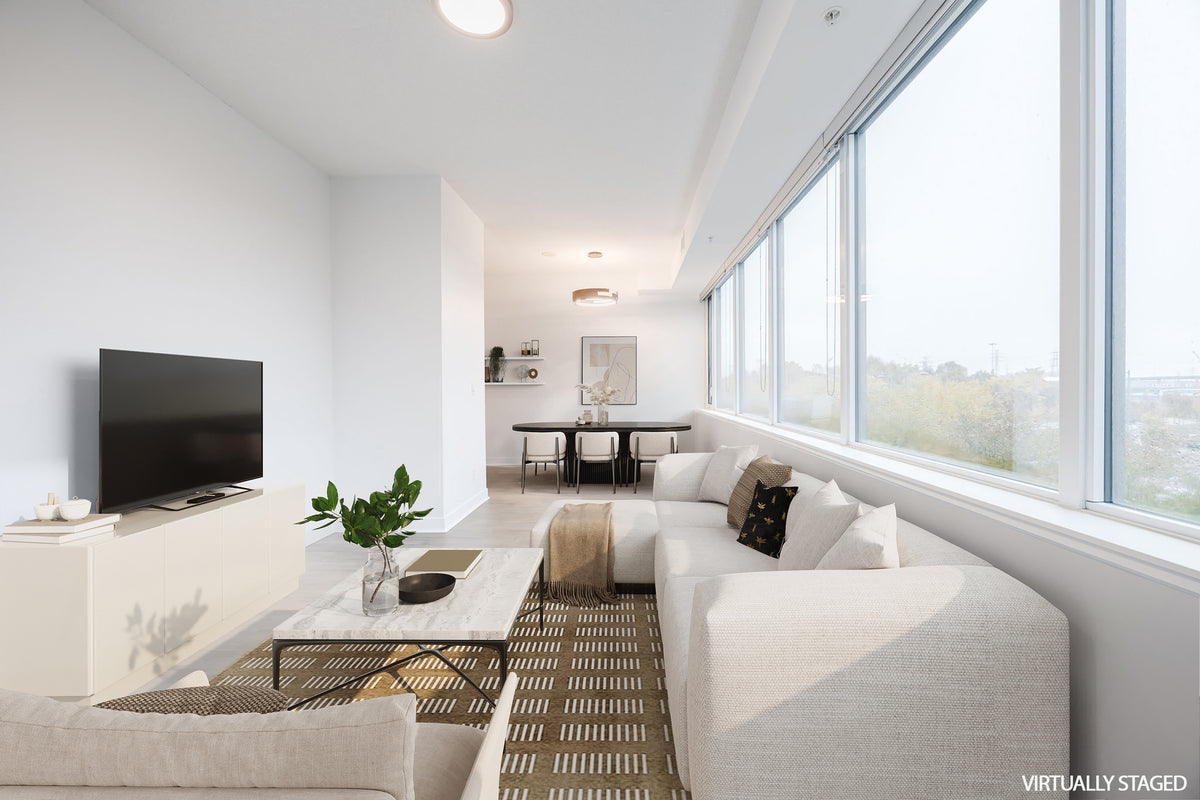
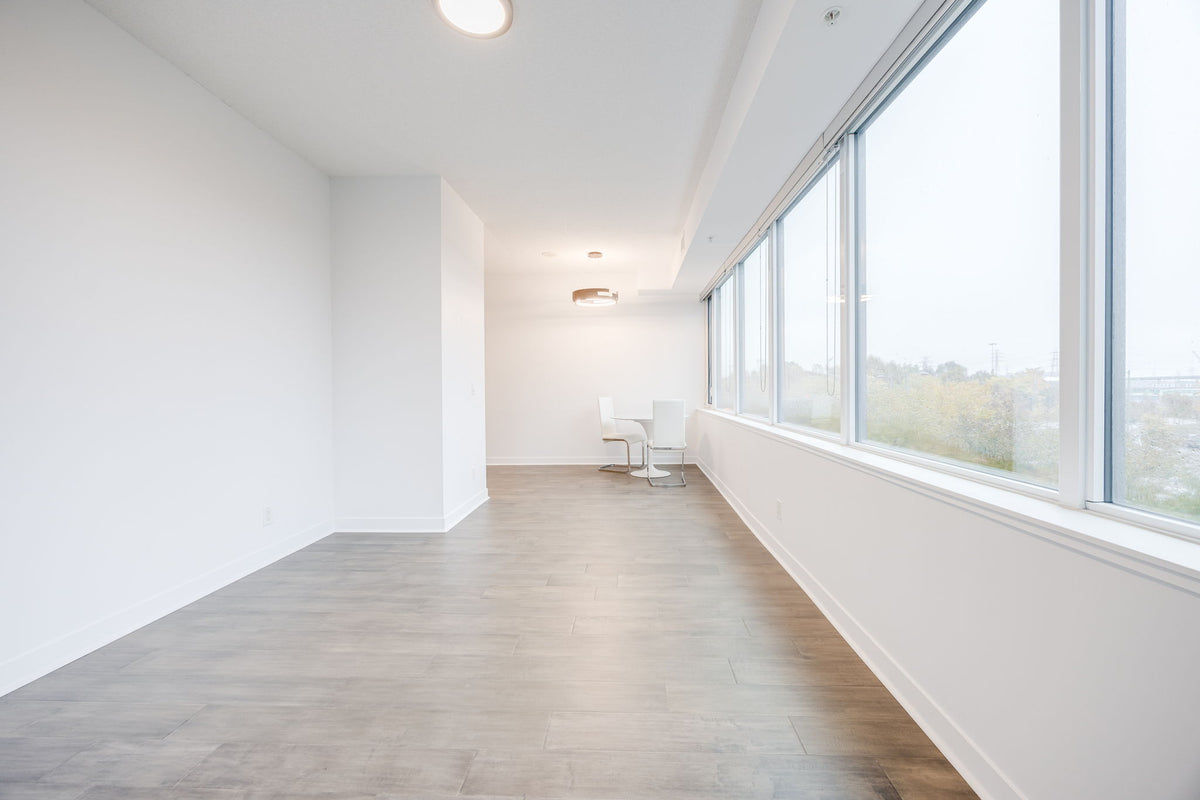 Before ⇄ After
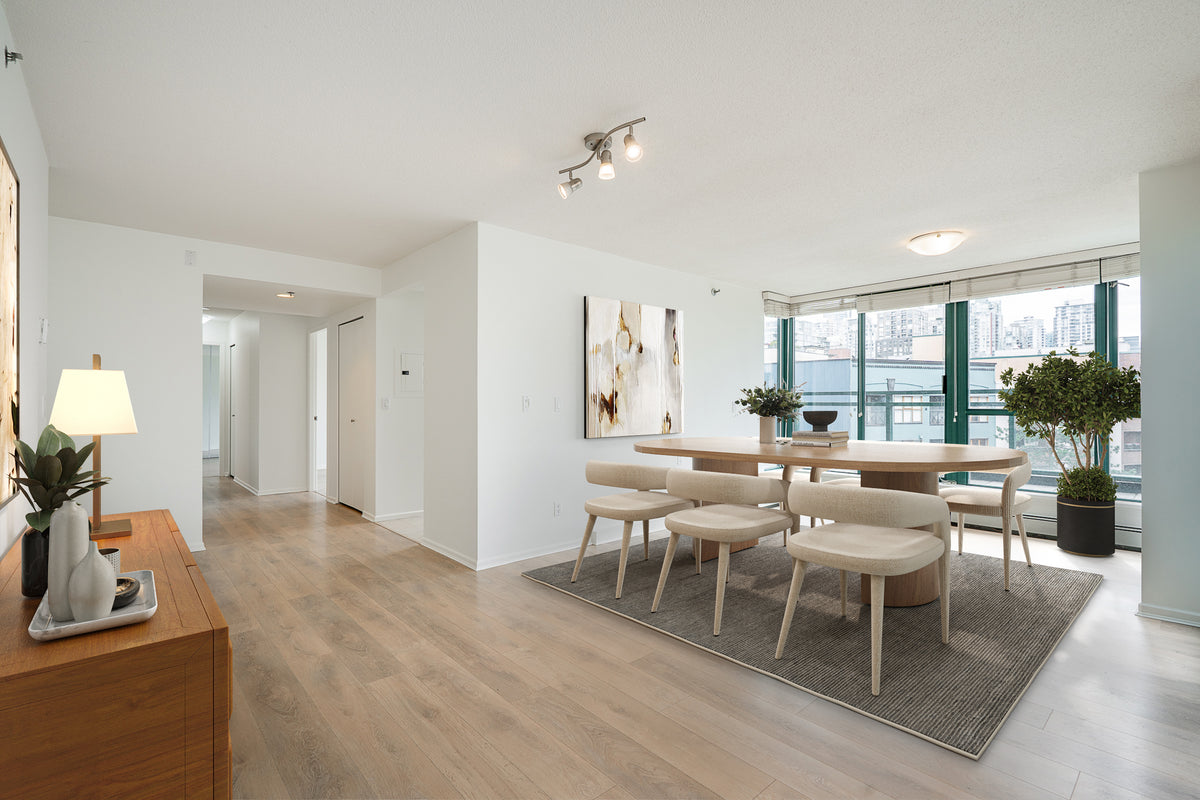
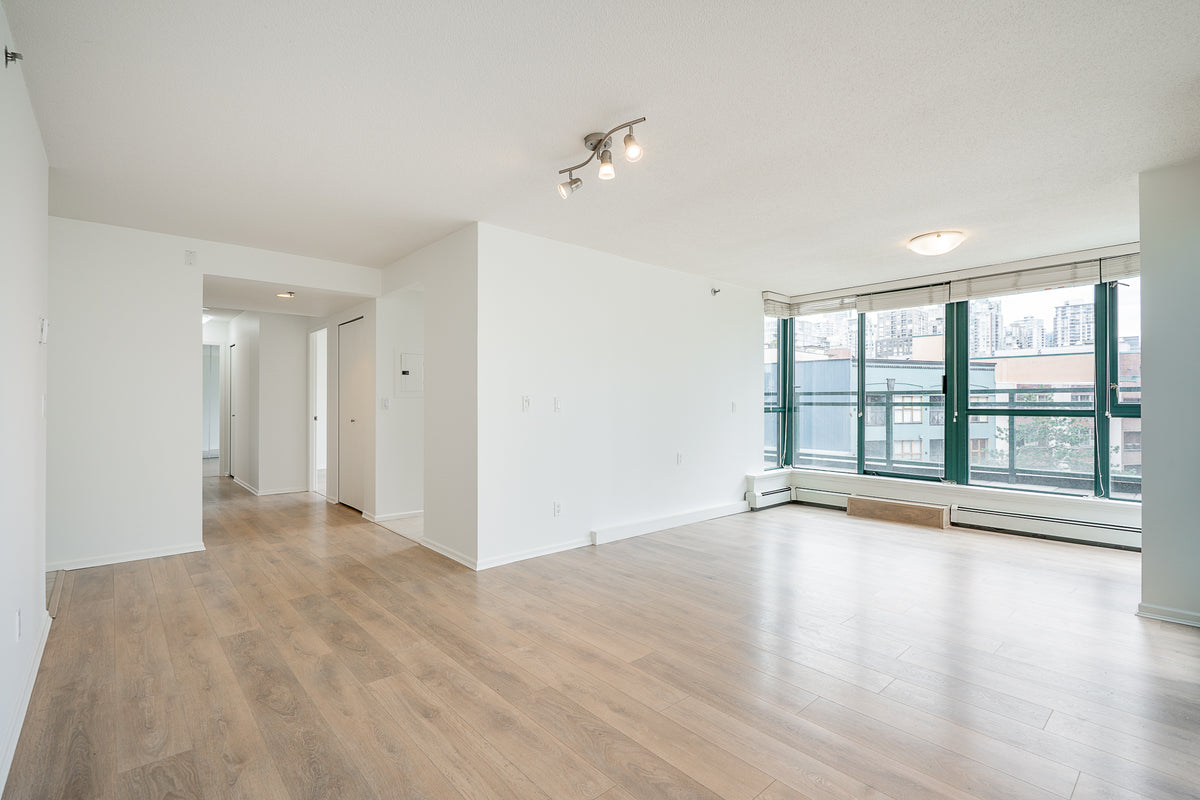 Before ⇄ After
How it works
The virtual renovation process, in three steps
Order & upload
Place your order, then send photos of the rooms as they are — dated, cluttered or mid-renovation is fine.
We renovate & stage
Our designers replace floors, paint, counters and fixtures digitally, then stage the finished room to match your market.
Approve & download
Review the rooms, request any tweaks, and download MLS-ready files with disclosure guidance.
Where we fit
Where virtual renovation fits
For the properties that photograph 'dated': show the after while the property is still the before.
-
Day 0
The listing photographs 'dated'
Original finishes, worn floors or an occupied unit are hiding the value buyers would pay for.
-
Day 1–2
We renovate and stage the finished room
New floors, paint, counters and fixtures — then a designer stages the finished room.
We handle this -
Day 2
Launch with both photo sets
Show the potential next to the original, clearly disclosed on the MLS.
-
Week 1+
Buyers price in the after
Offers reflect the potential instead of the to-do list.
Black and white
What we need. What you get.
Same ground rules as staging, plus your say on the finishes. Here's the full exchange.
What we need from you
- Photos at least 1,000 pixels on the long edge — the same minimum as virtual staging. 2,000 × 3,000 px or larger is ideal, and professional real estate photos give the most realistic result.
- The room as it is — dated, cluttered or tenanted is fine. Furniture removal is included.
- Optional: your finish direction ("light oak floors, white shaker cabinets, quartz counters") — or leave it to the designer to match your market.
- One photo per room you want renovated.
What you get back
- The same room with new floors, walls, counters and fixtures, rendered photoreal, with layout changes like an opened-up wall on request.
- Designer staging included in every renovated photo at no extra charge.
- MLS-ready, high resolution image files with clear disclosure guidance for digitally altered images.
- Delivery in 24–48 hours, unlimited revisions free for two weeks, rework-or-refund.
- FF&E + paint sheet — the Benjamin Moore-matched paint codes, flooring and furniture used, so the renovation can be recreated for real
Virtually renovated photos must be disclosed as digitally altered on the MLS — we tell you exactly what to note, and we recommend publishing the original photo alongside.
How clients use it
Why real estate agents use virtual renovation
Virtually renovated photos help potential buyers see past dated finishes and visualize the space as their future home. Here's where agents, investors, developers and renovators put them to work in their property listings.
List dated homes with confidence
Show buyers what the home could be, so a 1980s kitchen doesn't scare them off the showing.
Protect your asking price
When buyers see the after, the mental renovation math stops dragging offers down.
Attract investors and flippers
Show the upside at a glance — the vision is exactly what value buyers pay for.
Sell an unfinished property
Mid-renovation or never finished? Show the finished room, so buyers aren't pricing in a half-done job site.
Increase buyer interest in dated listings
A modern kitchen or bathroom in the lead photo gives buyers a reason to click, save and book the showing.
Preview a virtual renovation project
Developers, renovators and homeowners use virtually renovated images to see the final outcome, and present it to clients, before spending money on materials.
Choosing a service
Virtual renovation service vs. AI virtual remodeling apps vs. a real remodel
There are several ways to show potential buyers a renovated home before the listing goes live. Here's how they differ on realism, turnaround time and cost.
Designer virtual renovation (Bella)
A real interior designer updates floors, walls, cabinets and fixtures by hand, can open up walls on request, and stages the finished room. MLS-ready in 24–48 hours with unlimited revisions for two weeks, from $100 CAD a photo.
AI remodeling apps
AI virtual remodeling apps return a redesigned room in seconds for little or no cost. The trade-off is accuracy: they often change windows, walls or proportions, which misrepresents the property in a listing, and fixing the result is on you.
A real renovation before listing
Physical remodeling delivers the real thing, but a pre-sale refresh can run $20,000+ per room and weeks of trades — money spent before you know what buyers want.
Virtual staging only
If the finishes are fine and the room is just empty or cluttered, virtual staging from $48 CAD a photo is all you need — no renovation required.
3D rendering, for homes not built yet
For new construction that only exists on plans, our 3D rendering team builds photoreal interiors and exteriors from your drawings. Virtual renovation is for rooms that already exist.
How to choose a virtual renovation service
Look at before-and-after samples for realistic light and materials, confirm the turnaround time and revision policy, make sure any layout change is shown as a proposed renovation, and ask for MLS disclosure guidance.
“The quality is impeccable. Their furniture is so realistic it does the trick every single time. We highly recommend Bella and will keep using them.”

The math
Show the renovation. Skip the renovation.
Buyers can't see past dated finishes — but nobody should renovate a home just to sell it. A virtual renovation shows the same potential a contractor would deliver: new floors, fresh walls, a modern kitchen, rendered photoreal by a designer and disclosed as virtual. The buyer sees what the home can be; your seller keeps the twenty grand.
Pick your finishes
Choose a palette for your renovation
Every color is matched to a Benjamin Moore code. Pick a palette — or name any BM color in your order notes — and we renovate to it.
The safe-and-loved flip palette — bright, soft and photographs beautifully.
Airy whites with blue-green depth — suits condos, capes and waterfront listings.
Crisp whites against charcoal — the palette buyers screenshot from design feeds.
Your delivery includes a mini FF&E + paint sheet: the exact Benjamin Moore-matched paint codes, flooring and furniture we used, so a buyer or contractor can recreate the renovation for real.
Virtual renovation questions, answered
What is virtual renovation?
Virtual renovation is a digital edit of a real listing photo that updates the finishes — flooring, wall color, countertops, cabinets, lighting and plumbing fixtures — so buyers see the room as it would look after a remodel. At Bella, a real interior designer does the work by hand and stages the finished room, while the structure stays exactly as it is.
What can you change?
Finishes: flooring, wall colors, countertops, cabinet fronts, lighting and plumbing fixtures. Layout changes such as removing a wall to open up a kitchen are available on request, shown as a proposed renovation. We never add square footage that isn't there.
What's the difference between virtual renovation and virtual staging?
Virtual staging adds furniture and decor to an empty room. Virtual renovation goes further: it changes the finishes themselves — floors, walls, counters, cabinets and fixtures — and then stages the room. Choose staging when the finishes are fine, and renovation when dated finishes are the problem.
How much does virtual renovation cost?
Bella's virtual renovation cost is $100 CAD per photo, with designer staging and furniture removal included at no additional cost. Orders start at three photos, and volume discounts apply in the cart: 5% at 3+ photos, 10% at 6+, 15% at 11+ and 20% at 21+.
How long does a virtual renovation take?
24–48 hours from upload. After delivery you have two weeks of unlimited free revisions, and if a photo still isn't right, we rework it or refund it.
Is staging included?
Yes. Every virtually renovated room is also virtually staged with designer furniture at no extra charge, so the photo shows a fully furnished, listing-ready space.
Can I use these photos on the MLS?
Yes, with disclosure. Virtually renovated photos must be clearly disclosed as digitally altered — label each image, keep the original photo available, and never use a renovation to hide defects. We build every image to MLS specifications and tell you exactly what to note.
Can I choose the finishes and furniture style?
Yes. Pick one of our Benjamin Moore-matched palettes, name any colors or finishes in your order notes, or let the designer match your market. For the staging, choose a Look Book style — Contemporary, Modern Farmhouse, Scandinavian, Coastal, Mid-Century Modern, Traditional or Transitional.
Can you renovate exteriors and outdoor areas?
Yes. Front exteriors, patios and waterfront outdoor areas can be virtually renovated too — see the before-and-after examples at the top of this page.
Can AI or ChatGPT do a virtual renovation?
AI tools, including image features in chatbots, can redesign a room photo in seconds, but they often alter walls, windows or proportions, which misrepresents the property. Bella's virtual renovations are done by human designers, so every change is intentional and the image is safe to use on the MLS with disclosure.
What is the best virtual home renovation app?
For brainstorming ideas at home, an AI renovation app is a fine place to start. For listing photos that buyers will compare with the real room, a designer-made virtual renovation is the safer choice: realistic finishes, an untouched structure, MLS disclosure guidance and unlimited revisions for two weeks.
What if I don't like the result?
Unlimited revisions for two weeks after delivery. If it's still not right, we rework it or refund that photo.
Who owns the renovated photos?
You do. Every order includes full usage rights, so you can use the images in your listing, marketing and print materials.
Ready to modernize your listing?
Order today and show buyers the renovated home — without lifting a paintbrush.
Upload after checkout · Staging included · Rework or refund